



Mobile casino applications have transformed the way users get to real-money games, shifting the experience from large desktop systems to polished, pocket-sized gaming hubs https://lalabet.co.at/app/. A well-crafted casino app does much more than just shrink a website to match a smaller screen. It leverages device hardware, enhances touch interactions, and introduces exclusive functionalities that browser-based platforms cannot match. For anyone considering installing a dedicated casino app like the LalaBet Casino mobile application, grasping the core feature set is the first step toward a more seamless and more rewarding experience. This guide details every critical component, from installation and navigation to security, payment processing, game performance, and customer support. By analyzing what distinguishes a polished app from a mediocre one, players can make informed choices and prepare their devices for uninterrupted play. The sections that follow explore device compatibility, download steps, touch-optimized game lobbies, push notification management, biometric login options, streaming capabilities, and responsible gaming controls, providing a complete overview of the modern casino app landscape.
System Compatibility and Technical Specifications
Prior to starting any download, verifying if a specific smartphone or tablet satisfies the minimum requirements saves time and eliminates performance headaches. Casino apps like the LalaBet Casino application are commonly designed for the two dominant mobile operating systems, iOS and Android, each with its own set of version cutoffs. For Apple devices, an operating system of iOS 14.0 or later is typically necessary, which encompasses iPhone models from the 6s onward and most iPads released after 2016. On the Android side, the app generally requires version 8.0 (Oreo) or newer, with stable support across manufacturers including Samsung, Google Pixel, OnePlus, and Xiaomi. Beyond the OS, available storage space turns into a critical factor. High-quality casino apps with integrated game engines and graphics libraries can demand between 150 and 400 megabytes of free space, and that figure expands as games are cached and updates are applied. A device with at least 2 gigabytes of RAM secures that live dealer streams and animation-heavy slot titles run without stuttering or unexpected closures.
Screen resolution and aspect ratio also affect the visual output. Modern casino apps adjust dynamically to edge-to-edge displays, notched screens, and foldable devices, but users with older tablets may face letterboxing or stretched interfaces. A stable internet connection is non-negotiable; while some apps allow offline demo modes for a handful of slots, any real-money wagering, live casino session, or deposit action necessitates a consistent 4G, 5G, or Wi-Fi signal. App developers release periodic updates to address security gaps and add new game titles, so enabling automatic updates through the App Store or Google Play Store (or the official APK source) keeps the software aligned with the operator’s server protocols. Players who utilize less common mobile operating systems, such as HarmonyOS or custom Android forks, should check compatibility directly through the operator’s support team before attempting installation. Checking these details upfront eradicates the most common setup hurdles.
Notification Messages and In-App Communication
Push notifications act as the vital link between the casino operator and the player when the app is not actively in use. Unlike email promotions that disappear in crowded inboxes, a carefully scheduled notification about a new game release, a reload bonus, or a live tournament can draw a player back to the app within seconds. The most robust casino apps give granular control over notification categories. A player might enable alerts for withdrawal completions and exclusive bonus offers while muting promotional pushes for specific game verticals they do not play. This customization lives inside a dedicated notification settings panel, grouped by topic rather than displayed as a single on/off switch. Notifications utilize device-level APIs to show up on the lock screen with rich media, featuring the operator’s logo and a concise message body. Deep linking makes sure that clicking a “new Megaways slot available” alert opens the app directly to that specific game, not just the lobby.
In-app messaging operates differently from push notifications, acting as a logged communication channel viewable only while the app is active. Account managers or automated systems employ this feature to provide personalized game recommendations, VIP tier upgrades, and support ticket updates. The inbox sorts messages by date and category, and unread badges on the navigation icon encourage users to check new content without interrupting their session. Both push and in-app channels respect the player’s contact preferences, and any time devoted reading support replies inside the app adds up toward session limits if the responsible gaming timer is running. By balancing timely outreach with user-controlled filters, a mature notification system boosts engagement without turning into intrusive, transforming the app into a personalized hub rather than a blanket marketing megaphone.
Downloading and Installing the Mobile App
Acquiring a dedicated casino app differs slightly between iOS and Android environments, and adhering to the correct order stops blocked installations or security warnings. For iPhone and iPad users, the process remains straightforward since Apple’s walled-garden approach focuses distribution through the App Store. Searching for the official app by inputting the exact brand name into the store’s search bar yields the verified result, identifiable by the operator’s logo and a substantial number of reviews. Pressing the download button brings the package straight to the home screen, and after a fast installation, the app requests permissions for notifications and location services, both of which may be modified later through the system settings. The full iOS installation normally finishes in under two minutes on a broadband connection.
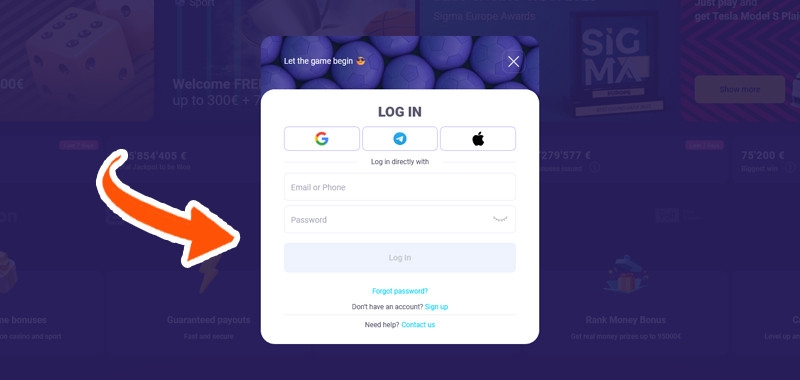
Android users follow a slightly different approach because Google Play Store rules regarding real-money gambling apps differ by region. In many jurisdictions, the app is provided as a standalone APK file acquired from the operator’s website. The procedure begins by going to the official mobile site, locating the “Install App” or “Android APK” section, and launching the download. Before the file can run, the device’s security settings must be briefly changed to permit installations from “unknown sources” or “install unknown apps” for the browser being used. Once this bild.de toggle is enabled and the APK runs, the installation wizard guides the user through standard permissions. After the icon shows up on the home screen, the unknown sources setting can be disabled again to bring back the device’s default security posture. Players should delete the APK file after installation to liberate storage and prevent accidental re-installations of outdated versions. In both operating systems, launching the app for the first time prompts a login or registration screen, and existing account holders can instantly sign in without re-entering payment details if the operator offers tokenized credential storage.
Payment Handling, Safety, and Safe Play
Transactions from Anywhere
A fluid mobile cashier turns a casino app into a complete financial tool. Deposit interfaces must support an range of methods relevant to the player’s region, including Visa, Mastercard, Skrill, Neteller, PayPal, Paysafecard, and instant bank transfer services. The mobile app stores encrypted payment tokens rather than full card details, so returning players can top up a balance with a single biometric confirmation rather than re-entering sixteen-digit numbers on a small keyboard. Deposit limits are settable directly within the cashier, and minimum and maximum amounts are presented dynamically based on the selected method. Withdrawals adhere to the same principle: the app indicates pending, processed, and completed cashout requests with timestamps, and any required identity verification documents can be sent by photographing them through the device camera. A dedicated notification notifies the user when documents are approved or when additional information is needed, keeping the process transparent without requiring the player to contact support.
Account Safety and Data Security
Protection on a casino app is more than a simple login screen. Modern implementations integrate biometric authentication—fingerprint scanning or Face ID—that layers over the standard password entry, enabling registered device owners to unlock the app in a fraction of a second while blocking unauthorized access. All data sent between the app and the operator’s servers uses TLS 1.3 encryption, the same protocol employed by banking applications, and sensitive operations like password changes or withdrawal requests activate an additional two-factor verification step delivered via SMS or an authenticator app. The application sandbox blocks other installed programs from viewing the casino app’s cached data, and copy-paste functionality may be limited inside password fields to guard against clipboard snooping malware. Regular penetration testing by independent security firms ensures the codebase remains resilient against emerging threats, and the app records all login attempts so users can identify unusual activity immediately.
Responsible Gambling Controls
Thoughtfully designed casino apps integrate responsible gaming tools directly into the account settings rather than burying them in a separate website section. Players can set daily, weekly, or monthly deposit caps that cannot be overridden without a cooling-off period, and session timers display elapsed play duration with an optional pop-up reminder when a predetermined interval is reached. Loss limits, wager limits, and reality-check notifications are adjustable through simple sliders and toggle switches. The self-exclusion function, when activated, blocks access to the app across all linked devices for a chosen span ranging from six months to five years, and the operator ensures that marketing communications cease simultaneously. Direct links to third-party support organizations such as GamCare and BeGambleAware are listed inside the tools section, and a self-assessment questionnaire helps players evaluate their gambling behavior discreetly. These features meet regulatory requirements while genuinely empowering users to manage their time and spending without exiting the gaming environment.
Game Collection and Live Streaming
Game Choice and Performance
A mobile casino app lives or dies by the depth and usability of its slot collection. Premier apps incorporate titles from multiple software providers such as NetEnt, Pragmatic Play, Play’n GO, and Evolution, each of which optimizes its game clients for touchscreens using HTML5 frameworks. Mobile slots launch directly within the app shell without opening an external browser window, and the best implementations support both portrait and landscape orientations so players can pick the grip that feels most comfortable. Options such as turbo spin, autoplay with loss limits, and swipe-to-spin functionality are configured specifically for mobile gestures rather than simply copying desktop click patterns. The visual quality must adapt cleanly to high-DPI displays, ensuring text on paytables remains legible without pinching to zoom. Audio design also adapts: games mute automatically when a phone call interrupts the session, and sound returns at the previous volume without surprising the player. Progressive jackpot totals update in real time, displayed clearly on the lobby tile so players can spot seven-figure prize pools at a glance.
Real-Time Casino Setup
Live dealer games represent the most technically challenging segment of a casino app. Broadcasting high-definition video from a professional studio to a smartphone demands adaptive bitrate technology, which modifies picture quality in real time based on available bandwidth and avoids buffering mid-hand. Dealers are displayed in full-screen mode with a collapsible bet panel overlaid transparently, so players can put chips without covering the table. Dedicated live casino sections divide blackjack, roulette, baccarat, and game-show titles into subcategories, and many apps now offer portrait-mode tables designed specifically for single-hand play on a smartphone. A live chat window appears alongside the video feed, permitting real-time communication with the dealer and other participants without hiding the action. Latency, gauged in milliseconds, influences how smoothly the stream aligns with the bet timer; top-tier apps maintain this delay under one second. Players can also favorite specific live tables—such as a particular roulette wheel or a blackjack seat—and navigate directly to them from the home screen on subsequent visits.
User Interface and Menu Structure
The most underrated feature of any casino app is its navigation architecture, yet it directly influences how quickly a player discovers a preferred game or manages their account. An efficient mobile interface discards the multi-column layouts of desktop sites in favor of a bottom navigation bar or a collapsible hamburger menu that ensures critical actions reachable by one thumb. Casino apps developed with mobile-first principles divide their lobby into horizontal scroll strips named “Slots,” “Live Casino,” “Table Games,” and “Jackpots,” enabling users to swipe sideways through categories without leaving the main screen. A persistent search bar placed at the top of the lobby allows players pull up specific titles by name or provider in seconds, skipping the need to tap through multiple submenus. Color contrast, icon size, and touch-target spacing are designed to reduce mis-taps, which is especially vital when real money is at stake and an accidental spin on a high-stakes slot could turn out to be costly.
Beyond the game lobby, the cashier and account management sections need to be logically arranged and responsive. Tabs for “Deposit,” “Withdraw,” and “Transaction History” ought to be visible immediately upon entering the banking area, with saved payment methods presented as recognizable card or e-wallet icons rather than obscure text strings. A well-designed casino app also offers quick-jump shortcuts; for example, tapping the account balance at the top of any screen opens the deposit panel, and long-pressing a game tile adds it to a favorites list without navigating into a submenu. Loading speeds between sections are important enormously. An app that hesitates for two or three seconds each time a user switches from slots to live casino creates friction, whereas one that displays screens asynchronously feels instant. The LalaBet Casino app showcases this design philosophy by caching lobby thumbnails and provider filters, so returning players dedicate minimal time waiting for the interface to populate. Good navigation design eventually fades into the background, allowing the player focus entirely on the game.
Performance Optimization and Problem Solving
Sustaining smooth performance across hundreds of device models demands constant improvement from the app development team. Casino apps rely on graphics acceleration to generate slot animations and live dealer streams at stable frame rates; if a device heats up or its battery optimization software restricts the processor, the app should elegantly reduce visual complexity rather than crash. Users can enhance performance by closing background apps that fight for RAM, keeping the operating system updated, and clearing the app cache periodically through a special option inside the settings menu. When network latency leads to a live blackjack table to freeze, the app displays a spinning icon and tries to reconnect for a adjustable number of seconds before automatically canceling any pending bet according to the operator’s game rules. A included connection quality indicator—visible during live games—displays green, amber, or red status bars so players can judge whether to change from mobile data to Wi-Fi mid-session.
Common troubleshooting steps are reachable even when the app is unable to load properly. A force-stop function reachable through the phone’s system settings clears the application from memory without deleting saved preferences or login tokens. If persistent crashes occur after an OS update, reinstalling the app from a fresh download package fixes most conflicts, and the player’s balance and game progress stay safe on the server side. Support teams can remotely diagnose issues if the user gives temporary log access through an in-app permission prompt. By providing proactive maintenance reminders—such as suggesting a cache clearance when the app spots sluggish load times—the software lessens player frustration and support ticket volume simultaneously. This emphasis on anticipatory troubleshooting converts what could be a frustrating technical episode into a five-second fix that keeps the gaming session intact.
Exclusive App-Only Features
Dedicated casino apps progressively act as portals to features that website users lack access to, building a strong reason to set up the software also for players who typically favor desktop play. App-exclusive bonuses are the most visible of these perks: a deposit match or free spins package marked “Mobile Only” credits straight into the account when the qualifying deposit is completed through the app cashier. In addition to bonuses, apps can run live tournaments where the leaderboard refreshes in real time as players spin or play hands, complete with push notifications that notify participants when they have lost their position. Some platforms offer mobile-only game variants, such as portrait-first roulette tables designed from the ground up for vertical screens, with chip placement zones tailored for thumb reach and reduced scrolling.
Biometric quick-login and customizable home screen shortcuts represent two additional mobile-exclusive benefits. Players who use the LalaBet Casino app can press and hold the home screen icon to open a shortcut menu that jumps right to the deposit screen or a chosen game without searching through the lobby. The app may also work with device widgets, presenting current bonus progress or a live jackpot counter on the phone’s home screen. Haptic feedback, where the device provides a subtle vibration on a big win or a bonus trigger, adds a sensory layer that desktop play cannot imitate. These mobile-specific touches add up into an experience that seems native to the device rather than adapted, and they show why operators invest heavily in app development next to their browser platforms. Players who make use of these features often realize that the app transforms into the primary way they reach their accounts, even if sitting at a desk with a computer within reach.